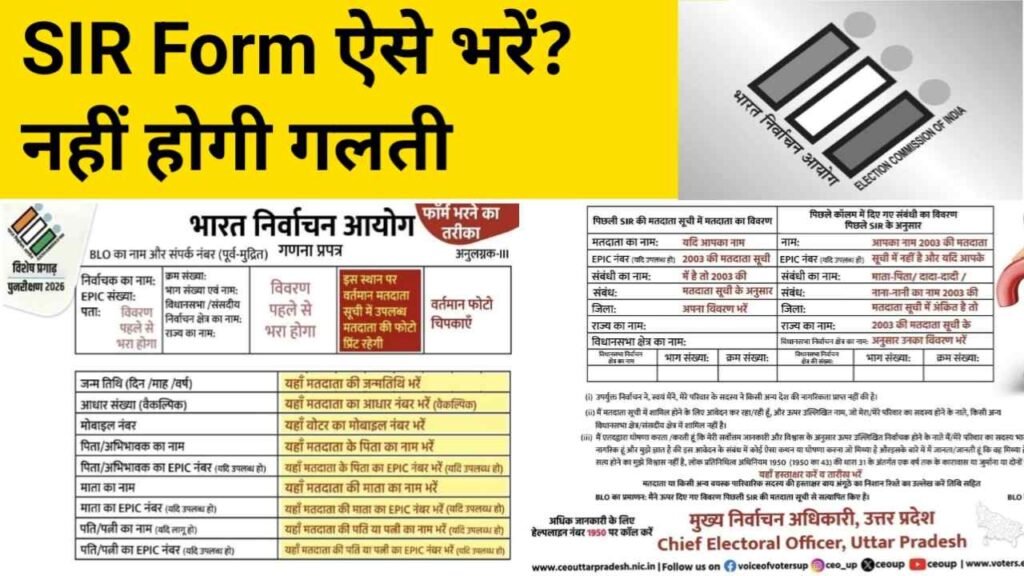
SIR Form: Election Commission of India (ECI) has launched the Special Intensive Revision (SIR) to update the voter list across several states and Union Territories. Under this initiative, online application forms are now available for eligible voters in 12 regions, including Uttar Pradesh, Gujarat, and West Bengal. Main goal is to ensure that all eligible citizens get registered, especially those who were missed during the door-to-door survey conducted by the Booth Level Officers (BLOs).
In the second phase of this process, final voter list will be published on 7 February 2026. This special drive aims to make the electoral roll more accurate and inclusive, giving every qualified individual a chance to enroll and participate in upcoming elections. Initiative strengthens transparency and ensures that no eligible voter is left out.
SIR Form Format – Kaisa Hai SIR?
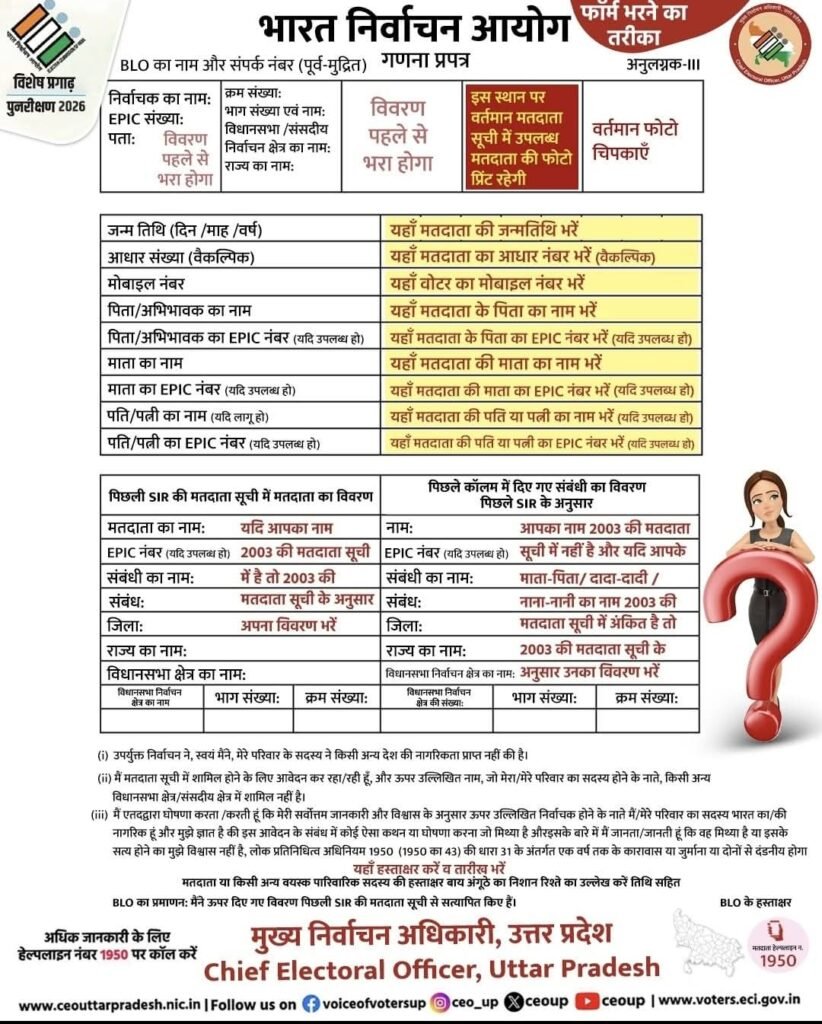
SIR Form Filling Step by Step Process – SIR Form Kaise Bharna Hai ?
- At top write your BLO’s name and contact number (pre-printed or asked by BLO).
- Fill Electoral details: EPIC number (if available), constituency/ward name, part/serial number and state.
- In the box for address, write your full postal address (as per residence).
- Put your current photo in the photo area BLO will click/print it at the booth if not available.
- Fill date of birth (DD/MM/YYYY).
- Write Aadhaar number (optional) and mobile number.
- Fill father’s name and father’s EPIC number (if available).
- Fill mother’s name and mother’s EPIC number (if available).
- If married, write spouse’s name and spouse’s EPIC number (if available).
- In the box about previous SIR voter list, give details from the old list (name, EPIC, relation, district/state) exactly as shown in the old roll.
- Read and tick the declaration statements at the bottom (confirming you or family members are not citizens of another country, etc.).
- Sign or put thumb impression where required; BLO will verify, sign and stamp form.
Keep the BLO receipt / acknowledgement and note helpline 1950 for any help.
Online Sources to Fill the SIR Form
SIR (Special Intensive Revision) form can be filled both offline and online.
For offline mode, you can take the form, fill it manually, and submit it to your BLO.
For online mode, you can directly fill and submit the form on the official portals of
Election Commission. Official online sources are –
- Election Commission of India (ECI) https://www.eci.gov.in/
- Voters Service Portal (SIR Form Filling) https://voters.eci.gov.in/
- State CEO Portal (for West Bengal): https://ceowestbengal.wb.gov.in/
These portals allow you to apply online for voter registration, corrections, or updating details under SIR.